Settings
The personal and general settings panel looks like this:

Profile
In the profile settings you can add an avatar (from the disc), change your displayed name and add additional informations such as phone and organization name. Remember to click on the Save button!

Preferences
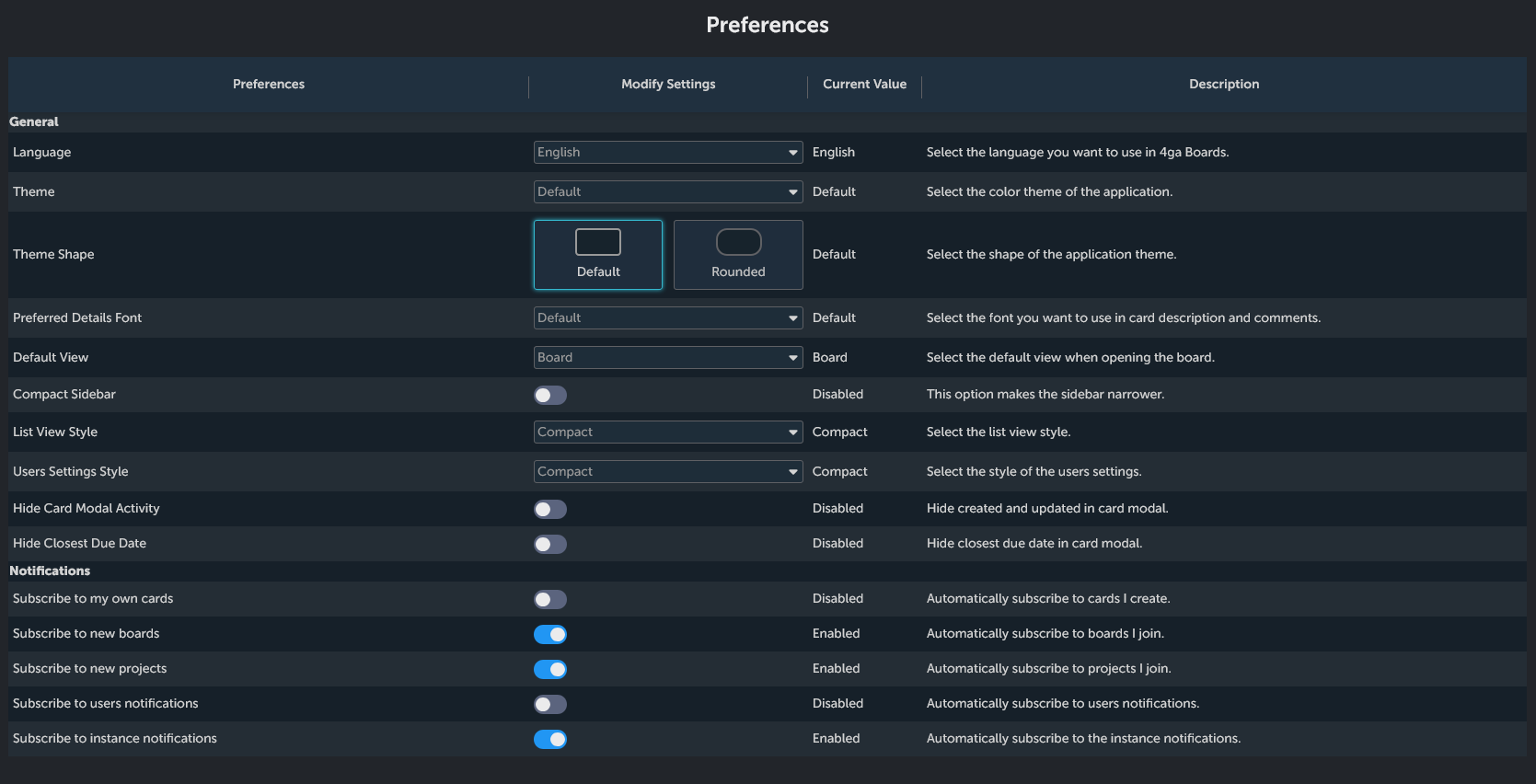
This section lets you customize 4ga Boards to your, well, preferences.
General
- "Language": Select the language you want to use in 4ga Boards.
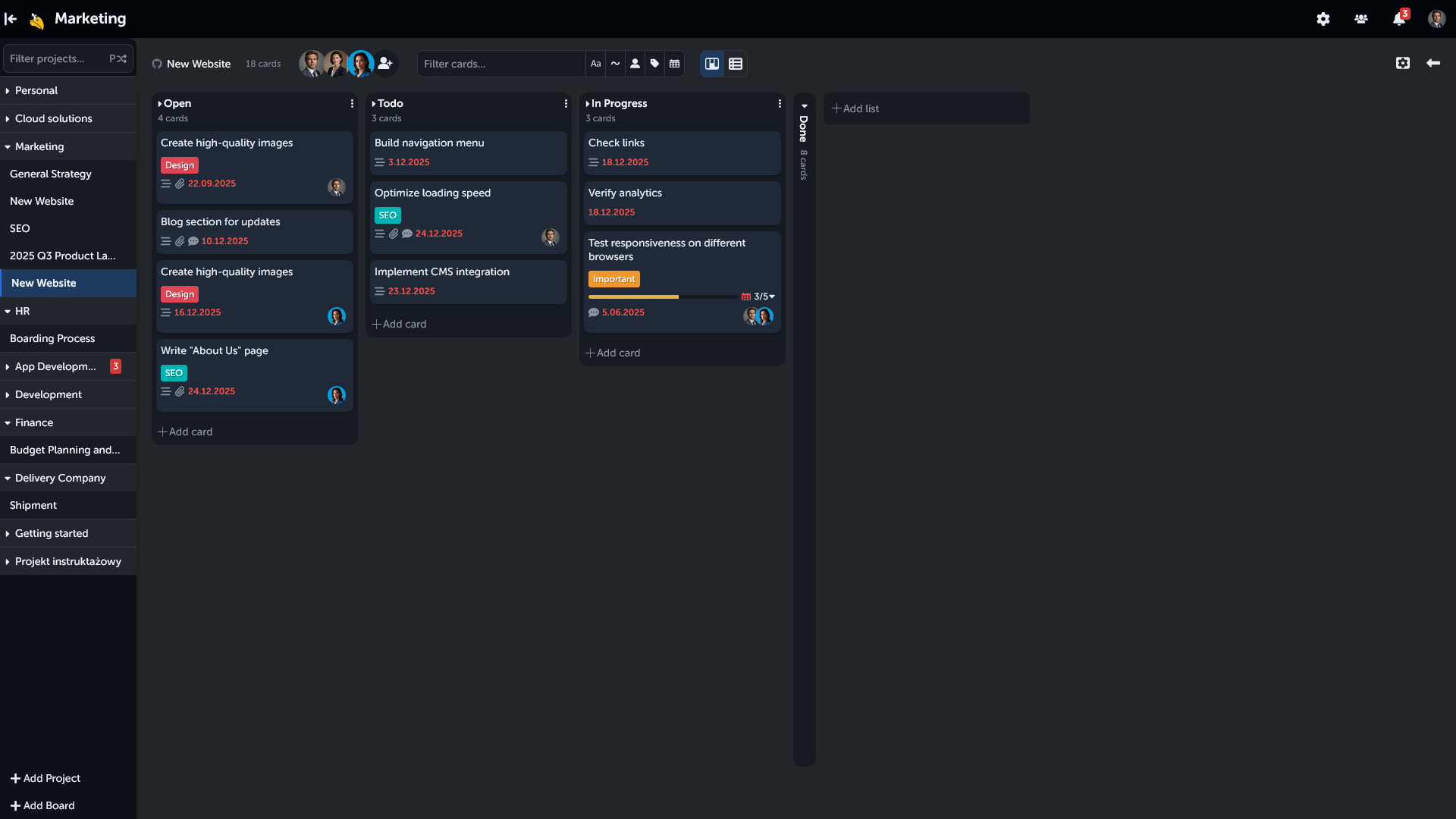
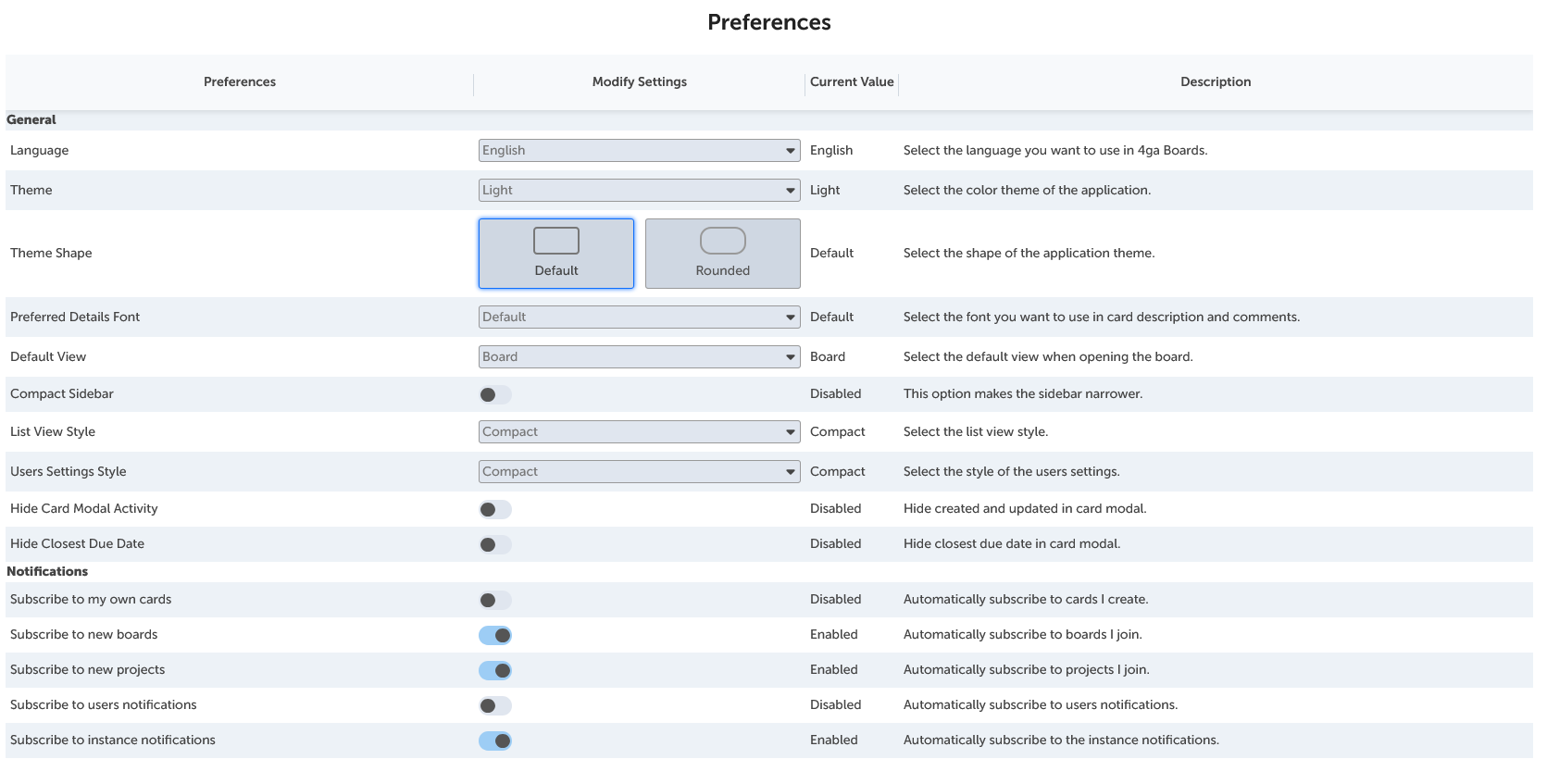
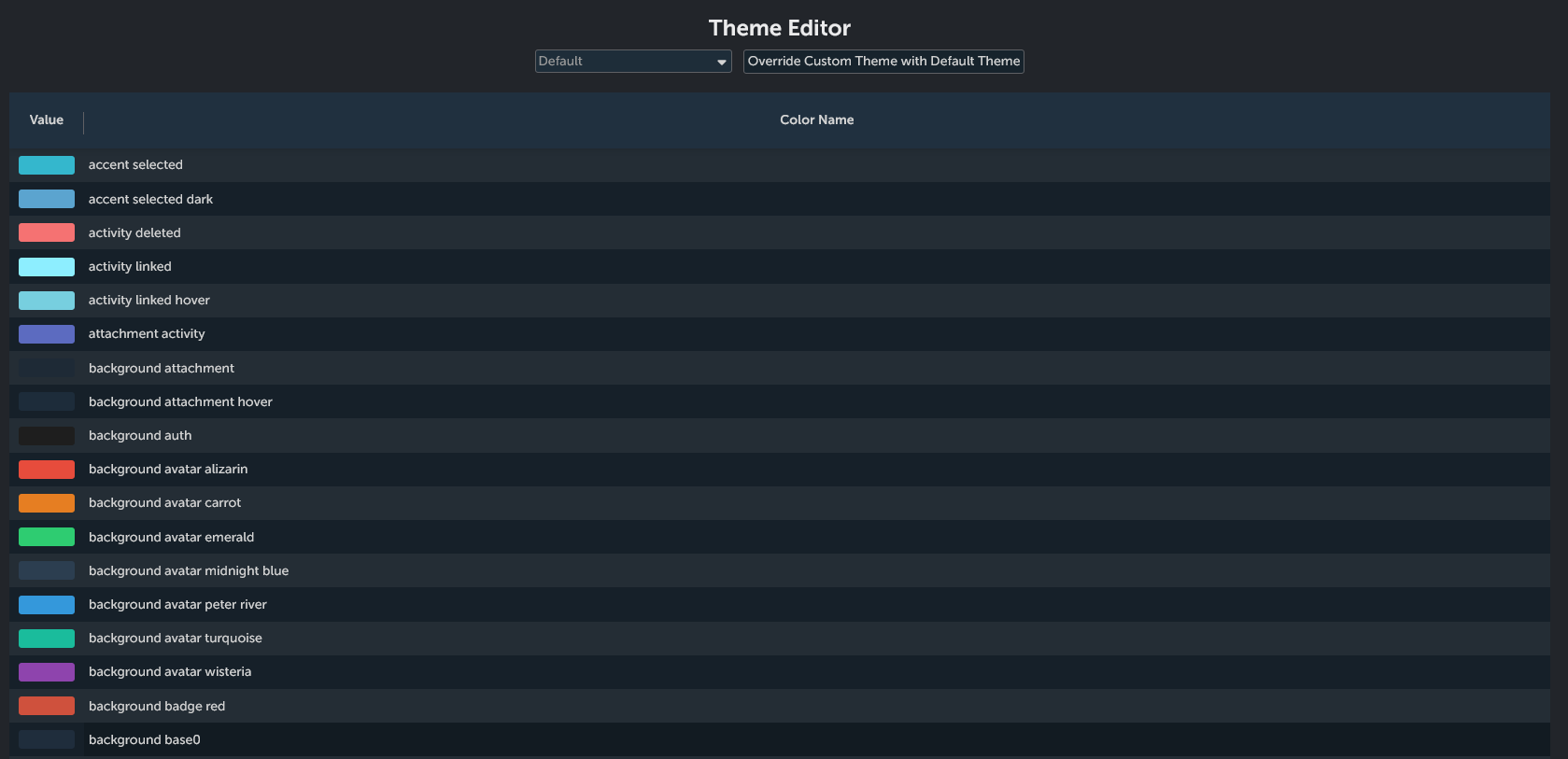
- "Theme": Select the color theme of the application. Currently available themes: default (which is used in this documentation), and "GitHub Dark", and even create custom theme! (see pictures below)

-
"Theme Shape": Select the shape of the application theme. Choose from default square shape or rounded shape on elements (see picture below)
-
"Preferred Details Font": Select the font (default or monospace) you want to use in card description and comments; in this documentation, the default version is used.
-
"Default View": Set if you want boards to open in board view or list view by default.
-
"Compact Sidebar": choose the style of your sidebar (applicable for both settings and board sidebars). If you enable it, you sidebar will be slim. This option is great if you prefer minimalistic design and more room for your lists in the board view.

If you disable it, the sidebar will be bulkier, which might be useful if you have long project names.

-
"List View Style": Set if you want a compact or bigger (default) version of list view; in this documentation, the compact version is visible.
-
"Users Settings Style": Set if you want a compact or bigger (default) version of User Settings;
-
"Hide Card Modal Activity": Enable to hide activity log (creation and last update time) in card view.
-
"Hide Closest Due Date": Hide closest/earliest due date in card modal.
Notifications
-
"Subscribe to my own cards": set if you want to be automatically subscribed to the cards created by you (see card, card options section).
-
"Subscribe to new boards": set if you want to be automatically subscribed to boards you join
-
"Subscribe to new projects": set if you want to be automatically subscribed to projects you join.
(ADMIN ONLY BELOW)
-
"Subscribe to users notifications": set if you want to be automatically subscribed to notifications about other users (change e-mail, username).
-
"Subscribe to instance notifications": set if you want to be automatically subscribed to instance-wide notifications.
Account
Here you can change your username and/or e-mail adress. For both changes you will need to input your current password.

Authentication
Here you can change your current password.

About
Section providing information about your current build version, latest available version of 4ga Boards and useful links: 4ga Boards, Documentation,Support development button, GitHub,X, YouTube, LinkedIn, Facebook, Privacy Policy and Terms of Service. Here, you can also import the “Getting Started” project, which provides an interactive introduction to 4ga Boards features and functionality.
